Your policies, enforced on every agent action.
Decide who owns each agent, what it can reach, and which changes need a person’s sign-off. JoyStream checks every action against those policies before it runs and keeps the record your auditors will ask for. It works for agents built in JoyStream and for the ones your team already uses in Claude Code, Codex and claude.ai.
Invite only. We’re working closely with a small group of teams.
- Ownership
- Access policy
- Sign-off
- Audit trail
One set of policies for every agent
Agents keep running where your team built them. What they can do is decided in one place your company controls.
Each action gets its own short-lived access, so agents never hold your keys.
Finds AI apps connected outside JoyStream, shows what each one can reach, and lets you shut off the ones you don’t trust.
Four questions every security team asks about agents
Most teams can’t answer them today. Agents run on laptops, in apps and in the cloud, each with its own login.
- Today
- Usually whoever built it. Often nobody knows.
- With JoyStream
- Every agent has an owner and works under the company’s account, not one person’s.
- Today
- Anything its login allows.
- With JoyStream
- Only what you allow, system by system.
- Today
- Nobody.
- With JoyStream
- It waits for a person to confirm.
- Today
- Ask the person who set it up.
- With JoyStream
- Every action is logged. You can turn it off in one place.
Keep your agents where they are.
Your team keeps working in Claude Code, Codex or claude.ai. The JoyStream plugin lets them build, simulate and ship company agents from there, under the same policies, owners and audit trail as everything else.
- Author turns a request into an agent, using your company’s connected services.
- Ship builds it, runs a Simulation first, then runs it for real.
- Debug explains why a run failed and proposes a fix.
# Claude Code/plugin marketplace add joystream-ai/joystream-plugin/plugin install joystream@joystream-ai# Codexcodex plugin marketplace add joystream-ai/joystream-plugin# Sign in once. Nothing is stored in a config file.
Using claude.ai, Claude Desktop or another MCP client? Add https://api.joystream.ai/mcp as a connector.
Know which agents can reach your systems.
One list of every agent working through JoyStream, plus the AI apps your team connected straight to Google, Microsoft, Salesforce and GitHub. Each one shows its owner and what it can reach.
| Agent or app | Runs in | Owner | |
|---|---|---|---|
| Daily GitHub Summary | JoyStream | Engineering | Running |
| Claude Code | Maya Chen’s laptop | Maya Chen | Connected |
| NoteTaker AI | Google Workspace | 14 people | Broad access |
| Pipeline Copilot | Salesforce | 1 person | New today |
Built in JoyStream or brought from Claude Code, Codex and claude.ai. Every action is logged.
| Agent | Where it runs | Owner | Access | Actions (30 days) | Last action | |
|---|---|---|---|---|---|---|
| Daily GitHub Summary | JoyStream | Engineering | GitHub read · Slack post | 612 | 12 min ago | Revoke |
| Qualify every inbound lead | JoyStream | Revenue Ops | Attio read · Gmail draft | 1,104 | 3 min ago | Revoke |
| Claude Code | Maya Chen’s laptop | Maya Chen | GitHub · Linear | 412 | 2 min ago | Revoke |
| Codex | Dev Patel’s laptop | Dev Patel | GitHub read | 133 | 1 hour ago | Revoke |
| claude.ai | Browser | Sam Ortiz | Google Drive read | 57 | Yesterday | Revoke |
Connected straight to Google and Salesforce. Found through your admin consoles, so you can shut off the ones you don’t trust.
| App | Connected to | Granted by | Access | Risk | |
|---|---|---|---|---|---|
| NoteTaker AI | Google Workspace | 14 people | Gmail read · Calendar | Broad | Revoke via Google Admin |
| Pipeline Copilot | Salesforce | 1 person | Full API · offline access | New today | Revoke via Salesforce |
| Slide Helper | Google Workspace | 6 people | Drive · selected files | Unused 90 days | Revoke via Google Admin |
Agents get the access the job needs, and nothing more.
Your company owns every connection and decides where each one can be used. Policies are checked at the moment an agent acts, not in a report afterwards.
Connect once
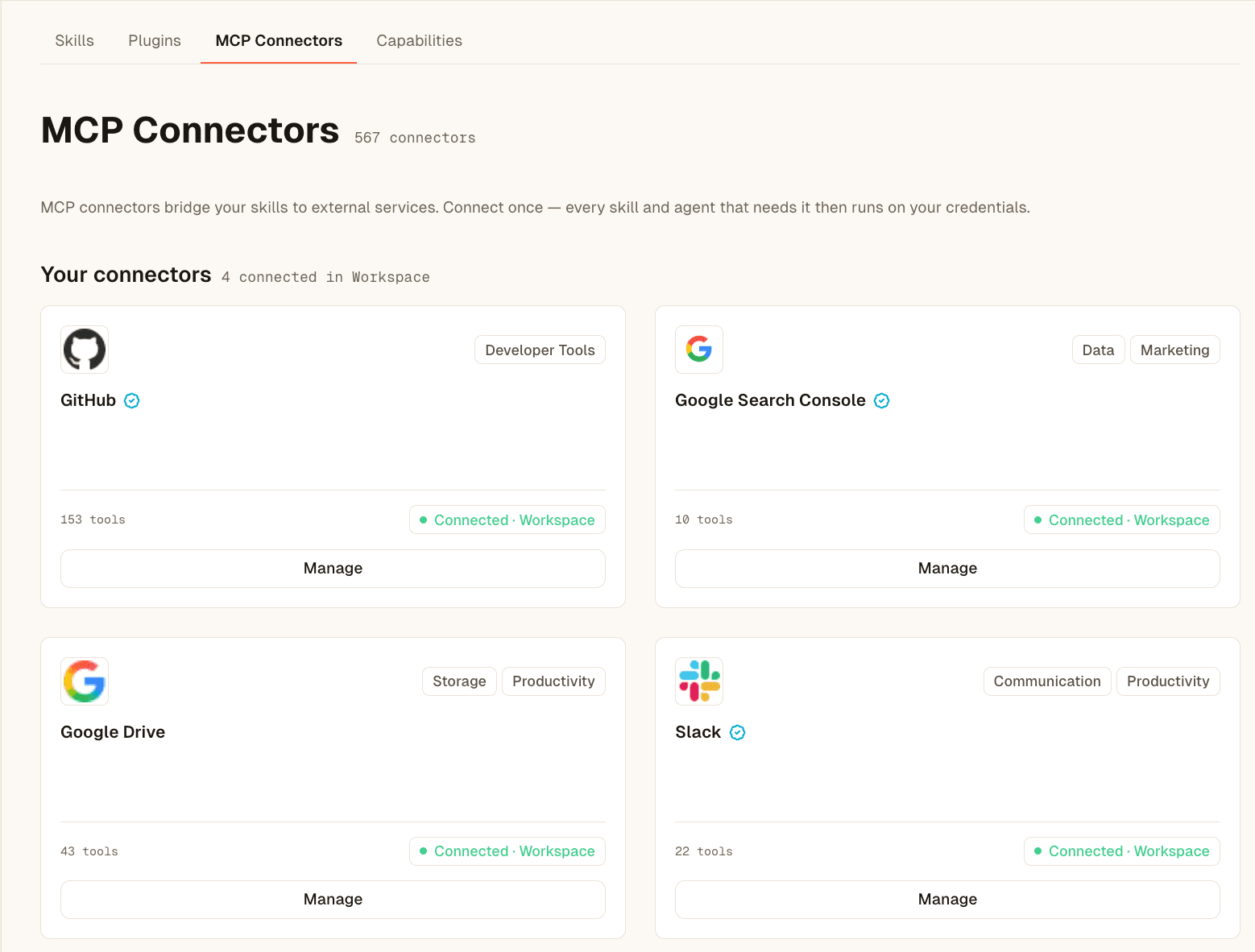
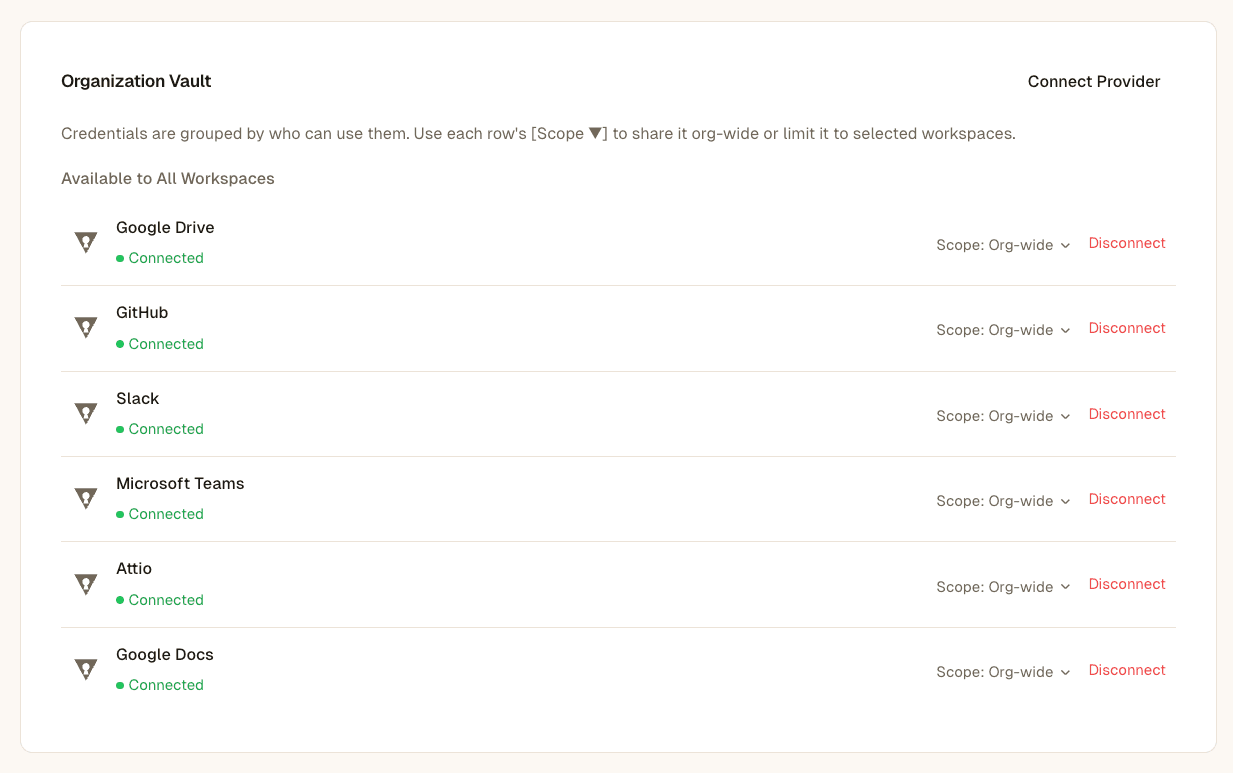
Connect Slack, GitHub, Salesforce, Google and 500+ more one time. Then choose which agents and workspaces can use each connection.
Your company keeps the keys
Agents never see a password or key. Each action gets its own short-lived access, which ends when the action does.
Looking is not doing
An agent can browse what tools exist without being able to use them. Running an action needs separate permission for that one service.
What you reviewed is what runs
The exact actions are fixed when the agent is built. An unexpected input fails the call instead of doing the wrong thing.


A person confirms before anything changes.
Reading is fine. Sending, posting, updating or deleting waits for a person to look at a short summary and confirm. A new agent runs as a Simulation first, where nothing real changes, and runs for real when you say so.
- · Agent Runs now show on the agent page
- · Trial-credit funding path fixed
- · Credit pricing moved to a versioned table
See what every agent did. Turn it off in one place.
Each action is logged with the agent, its owner, the system it touched and the result, inside the Run where it happened. If something looks wrong, turn off the agent or the connected app from the same screen.
| Time | Action | System | Result |
|---|---|---|---|
| 10:14 | List merged pull requests | GitHub | Done |
| 10:14 | Draft announcement | JoyStream | Done |
| 10:15 | Post to #marketing | Slack | Waiting to confirm |
| 10:17 | Post to #marketing | Slack | Confirmed by Dana |
How much control you get depends on how the agent connects.
Every agent gets the strongest control its connection allows.
Runs on JoyStream
Agents your team builds in JoyStream or picks up from Agent Universe.
- Has a named owner
- Can only reach what you allow
- Changes wait for a person to confirm
- Every action is logged
Brought from your tools
Claude Code, Codex and claude.ai, connected to JoyStream with one sign-in.
- Uses company access, not a personal login
- Can only reach what you allow
- Changes wait for a person to confirm
- Turn it off in one place
Other AI apps
Apps your team connected straight to Google, Microsoft, Salesforce or GitHub.
- See which apps have access, and how much
- Spot apps with too much access or none in use
- Shut off the ones you don’t trust
Answers your security team will ask for.
Approving an agent shouldn’t take a month. Here is what JoyStream holds, what agents never get, and how you turn things off.
- Provider keys are stored encrypted, and only JoyStream’s connection service can read them.
- Agents get short-lived access for one action at a time. Nothing they hold works later.
- Each connection belongs to a person, a workspace or the company, and is shared only where you choose.
- Every action is logged with the agent, owner, system and result.
- You can turn off an agent, a connected app or a connection from one place.
Thousands of actions. Five tools for the agent.
Agents don’t need hundreds of tools loaded at once. Five small tools let them find the right action across every service when they need it.
Common questions
Do we have to move our agents?
Where are our keys kept?
What can you see outside JoyStream?
We already use Okta or Microsoft’s agent tools.
Why is it invite only?
Bring the agent that still runs on someone’s laptop.
We’ll move it onto company access and show you every other AI app connected to your systems, within 30 days.